In this walkthrough tutorial, connect a service like Jira, choose the work items and properties to include, and create a synced database in Notion.
Once it’s set up, use the synced data like a native Notion database. Create views, dashboards, filters, groups, and automations, and add native Notion properties to fit your team’s workflow.
To try it, go to Settings → Connections → Browse connections in Notion.
Chapters:
00:00 — Bring external data into Notion
00:13 — Connect a service like Jira
00:24 — Choose data and properties
00:36 — Use the sync database in Notion
00:49 — How database syncs work
00:57 — More database syncs
1:04
In this walkthrough tutorial, connect a service like Jira, choose the work items and properties to include, and create a synced database in Notion.
Once it’s set up, use the synced data like a native Notion database. Create views, dashboards, filters, groups, and automations, and add native Notion properties to fit your team’s workflow.
To try it, go to Settings → Connections → Browse connections in Notion.
Chapters:
00:00 — Bring external data into Notion
00:13 — Connect a service like Jira
00:24 — Choose data and properties
00:36 — Use the sync database in Notion
00:49 — How database syncs work
00:57 — More database syncs
Skills are reusable instructions that help AI follow your team’s preferred process.
Learn how to create, use, and share skills in Notion.
Chapters:
00:00 Introductions to skills
00:25 What are skills in Notion?
00:44 Create a skill
02:00 Find and enable skills
02:29 Run your skill with Notion Agent
03:29 Use skills with Custom Agents
04:07 Organize and share skills
Learn more about skills in Notion's Help Center: https://www.notion.com/help/guides/getting-started-with-skills-in-notion .
5:35
Skills are reusable instructions that help AI follow your team’s preferred process.
Learn how to create, use, and share skills in Notion.
Chapters:
00:00 Introductions to skills
00:25 What are skills in Notion?
00:44 Create a skill
02:00 Find and enable skills
02:29 Run your skill with Notion Agent
03:29 Use skills with Custom Agents
04:07 Organize and share skills
Learn more about skills in Notion's Help Center: https://www.notion.com/help/guides/getting-started-with-skills-in-notion .
See how Candidly uses Notion to give coding agents shared context—and keep product and engineering involved as the work moves forward.
Ben Levine, Chief Product Officer at Candidly, walks through his task board, where he launches Cursor cloud agents, checks progress, and gives feedback alongside the specs and product decisions behind each ticket. He also shows how he uses Claude Code or Codex to help manage the board, review completed work, and move dependent tickets forward overnight.
In this walkthrough:
0:00 Introduction
0:30 Cursor task board in Notion
2:11 Managing coding agents in a board
3:38 Making coding agents multiplayer
Read the full Candidly story: www.notion.com/customers/candidly
Watch how Candidly keeps product docs current: https://youtu.be/tRkTSePAStc
4:58
See how Candidly uses Notion to give coding agents shared context—and keep product and engineering involved as the work moves forward.
Ben Levine, Chief Product Officer at Candidly, walks through his task board, where he launches Cursor cloud agents, checks progress, and gives feedback alongside the specs and product decisions behind each ticket. He also shows how he uses Claude Code or Codex to help manage the board, review completed work, and move dependent tickets forward overnight.
In this walkthrough:
0:00 Introduction
0:30 Cursor task board in Notion
2:11 Managing coding agents in a board
3:38 Making coding agents multiplayer
Read the full Candidly story: www.notion.com/customers/candidly
Watch how Candidly keeps product docs current: https://youtu.be/tRkTSePAStc
To learn more about how Notion is supporting startups, visit: https://ntn.so/firstblockapac
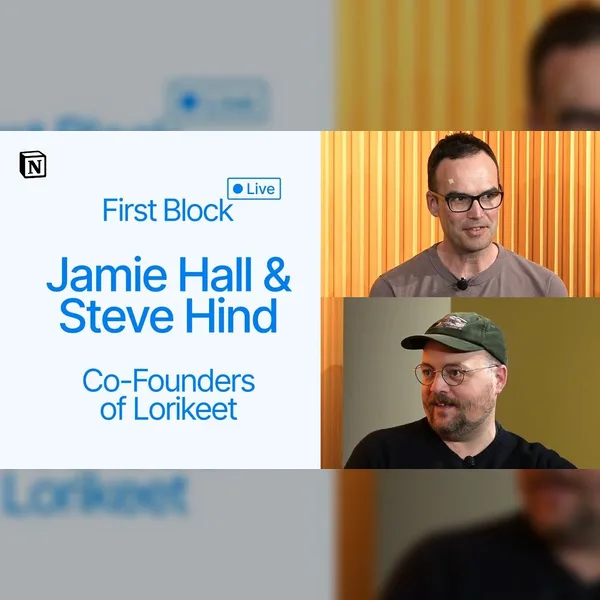
Welcome to First Block, a Notion series where founders from the world’s leading companies share what it was like to navigate the many firsts of their startup journey and what they learned along the way.
In this episode, Billie Moffatt sits down with Lorikeet co-founders Jamie Hall and Steve Hind in Sydney, Australia, to unpack how they built an AI customer support company in one of the market’s most competitive categories. They share how close observation of real support teams helped them find a differentiated wedge and what they learned from launching with complex healthcare and fintech customers.
Jamie and Steve also discuss building a startup from Australia, hiring in the age of coding agents, and staying focused on real customer pain while the market moves at breakneck speed.
Timestamps
00:00 Introduction
01:21 What Lorikeet does
02:24 The founding insight
05:38 Product philosophy & hot takes
08:40 Finding product-market fit
12:39 Building the team & culture
16:10 Scaling from Sydney to SF to London
19:58 AI-first operations
24:26 The hard stuff
26:57 Advice block
31:36
To learn more about how Notion is supporting startups, visit: https://ntn.so/firstblockapac
Welcome to First Block, a Notion series where founders from the world’s leading companies share what it was like to navigate the many firsts of their startup journey and what they learned along the way.
In this episode, Billie Moffatt sits down with Lorikeet co-founders Jamie Hall and Steve Hind in Sydney, Australia, to unpack how they built an AI customer support company in one of the market’s most competitive categories. They share how close observation of real support teams helped them find a differentiated wedge and what they learned from launching with complex healthcare and fintech customers.
Jamie and Steve also discuss building a startup from Australia, hiring in the age of coding agents, and staying focused on real customer pain while the market moves at breakneck speed.
Timestamps
00:00 Introduction
01:21 What Lorikeet does
02:24 The founding insight
05:38 Product philosophy & hot takes
08:40 Finding product-market fit
12:39 Building the team & culture
16:10 Scaling from Sydney to SF to London
19:58 AI-first operations
24:26 The hard stuff
26:57 Advice block
Business questions shouldn’t have to wait in a data-request queue. At Notion, our most-used internal agent, Data Scout, helps teams explore governed Snowflake data alongside the context they use in their work.
In this demo, Rhona from Product Marketing shares a familiar GTM use case: preparing for a sales meeting with a clearer picture of an account.
We’re helping a small group of customers build their own data agents with Notion and Snowflake. Interested in exploring a similar setup?
Request early access here: https://www.notion.com/use-case/data-agents
3:53
Business questions shouldn’t have to wait in a data-request queue. At Notion, our most-used internal agent, Data Scout, helps teams explore governed Snowflake data alongside the context they use in their work.
In this demo, Rhona from Product Marketing shares a familiar GTM use case: preparing for a sales meeting with a clearer picture of an account.
We’re helping a small group of customers build their own data agents with Notion and Snowflake. Interested in exploring a similar setup?
Request early access here: https://www.notion.com/use-case/data-agents
You know the problem: answers scattered across docs, Slack threads, and the heads of a few busy experts.
In this walkthrough, Bradford Jordan shows how Baseten built a self-improving answer bot that answers GTM questions from trusted sources, brings in experts when knowledge is missing, and drafts updates for human review.
Chapters:
00:00 Introduction
01:52 Meet Baseten's self-improving answer bot
05:56 KatzGPT Agent
15:18 Sales Reporter Agent
20:19 Sales Hub Verifier Agent
21:56 How to build it
40:03 Tips for getting started
You can also learn how to build one for yourself with a step-by-step demo.
Build your own self-improving answer bot: notion.com/help/guides/self-improving-answer-bot
Learn more about Notion Custom Agents: https://www.notion.com/product/agents
Learn more about Baseten: https://www.baseten.co/
42:22
You know the problem: answers scattered across docs, Slack threads, and the heads of a few busy experts.
In this walkthrough, Bradford Jordan shows how Baseten built a self-improving answer bot that answers GTM questions from trusted sources, brings in experts when knowledge is missing, and drafts updates for human review.
Chapters:
00:00 Introduction
01:52 Meet Baseten's self-improving answer bot
05:56 KatzGPT Agent
15:18 Sales Reporter Agent
20:19 Sales Hub Verifier Agent
21:56 How to build it
40:03 Tips for getting started
You can also learn how to build one for yourself with a step-by-step demo.
Build your own self-improving answer bot: notion.com/help/guides/self-improving-answer-bot
Learn more about Notion Custom Agents: https://www.notion.com/product/agents
Learn more about Baseten: https://www.baseten.co/
In this video, we share how Notion's People team redesigned the entire employee journey, from a candidate’s first interaction with a recruiter through their first 90 days at Notion.
29:32
In this video, we share how Notion's People team redesigned the entire employee journey, from a candidate’s first interaction with a recruiter through their first 90 days at Notion.
La Cabra,这家以“越明亮越好”理念闻名的丹麦特色咖啡品牌,正在Lantern House开设其切尔西旗舰店——这是董事总经理Cyril Alcazar在纽约市开业的首个豪华地产项目。许可证、审批、承包商、建筑师、烘焙产能:数百个活动部件,却没有活动经理或项目管理团队来统筹。
www.notion.com/customers/la-cabra
1:09
La Cabra,这家以“越明亮越好”理念闻名的丹麦特色咖啡品牌,正在Lantern House开设其切尔西旗舰店——这是董事总经理Cyril Alcazar在纽约市开业的首个豪华地产项目。许可证、审批、承包商、建筑师、烘焙产能:数百个活动部件,却没有活动经理或项目管理团队来统筹。
www.notion.com/customers/la-cabra
This Q&A agent turns your team’s knowledge into instant answers wherever your team works. In this case, the agent answers questions in Slack and updates itself with feedback. When you correct an answer in the thread, it fixes the source document for everyone who asks going forward. In this video, we walk through how this Custom Agent works in under a minute.
See how teams leverage Custom Agents from our AI use cases page → https://www.notion.com/product/ai/use-cases
0:41
This Q&A agent turns your team’s knowledge into instant answers wherever your team works. In this case, the agent answers questions in Slack and updates itself with feedback. When you correct an answer in the thread, it fixes the source document for everyone who asks going forward. In this video, we walk through how this Custom Agent works in under a minute.
See how teams leverage Custom Agents from our AI use cases page → https://www.notion.com/product/ai/use-cases